
Create · print · collect
QR Code for Wedding Pictures & Guest Photo Uploads
One code on your signs. Photos and videos from your guests. A private collection you can review and download.
Guests scan it, upload photos and videos in their browser, and everything lands in your private wedding gallery.
No guest app · No guest account · Original downloads
Short answer
A QR code for wedding pictures opens a page where guests upload photos and videos. With WeddingPhoto App, they scan, choose files in their browser and send them without installing an app or creating an account. You receive the originals in your private event gallery, ready to review and download.
Wedding galleries start at $39. Already have a guest upload link? Paste it into the free sign maker below. Making a sign is free; photo hosting is separate.
Free sign maker · no email needed
A photo sign that fits your wedding
Choose a design, add your collection link and download a print-ready sign. The sign is free; photo hosting is separate.
Use the final guest upload link, not your host dashboard.
Your sign preview
%22%3E%3Cpath%20d%3D%22M0%200%20Q-22%20-65%200%20-135%22%2F%3E%3Cpath%20d%3D%22M-3%20-26%20Q-42%20-27%20-33%20-60%20Q-4%20-53%20-3%20-26Z%20M-9%20-63%20Q27%20-58%2030%20-88%20Q4%20-96%20-9%20-63Z%20M-4%20-102%20Q-35%20-101%20-25%20-128%20Q-4%20-126%20-4%20-102Z%22%2F%3E%3C%2Fg%3E%3Cg%20transform%3D%22translate(912%20110)%20rotate(180)%22%3E%3Cpath%20d%3D%22M0%200%20Q-22%20-65%200%20-135%22%2F%3E%3Cpath%20d%3D%22M-3%20-26%20Q-42%20-27%20-33%20-60%20Q-4%20-53%20-3%20-26Z%20M-9%20-63%20Q27%20-58%2030%20-88%20Q4%20-96%20-9%20-63Z%20M-4%20-102%20Q-35%20-101%20-25%20-128%20Q-4%20-126%20-4%20-102Z%22%2F%3E%3C%2Fg%3E%3C%2Fg%3E%3Cg%20fill%3D%22%23956c54%22%20font-family%3D%22Arial%2Csans-serif%22%20font-size%3D%2231%22%20text-anchor%3D%22middle%22%3E%3Ctext%20x%3D%22500%22%20y%3D%22148.35000000000002%22%3EAlex%20%26amp%3B%20Jordan%3C%2Ftext%3E%3C%2Fg%3E%3Cg%20fill%3D%22%2329231f%22%20font-family%3D%22Georgia%2Cserif%22%20font-size%3D%2267%22%20text-anchor%3D%22middle%22%3E%3Ctext%20x%3D%22500%22%20y%3D%22298.65%22%3EShare%20your%3C%2Ftext%3E%3Ctext%20x%3D%22500%22%20y%3D%22385.75%22%3Ephotos%20with%20us%3C%2Ftext%3E%3C%2Fg%3E%3Crect%20x%3D%22280%22%20y%3D%22456.25%22%20width%3D%22440%22%20height%3D%22440%22%20rx%3D%228%22%20fill%3D%22%23fff%22%20stroke%3D%22%23dedbd5%22%2F%3E%3Cg%20fill%3D%22%23625d56%22%20font-family%3D%22Arial%2Csans-serif%22%20font-size%3D%2226%22%20text-anchor%3D%22middle%22%3E%3Ctext%20x%3D%22500%22%20y%3D%22663.45%22%3EAdd%20your%20link%20to%3C%2Ftext%3E%3Ctext%20x%3D%22500%22%20y%3D%22697.25%22%3Esee%20the%20QR%20code%3C%2Ftext%3E%3C%2Fg%3E%3Cg%20fill%3D%22%2329231f%22%20font-family%3D%22Arial%2Csans-serif%22%20font-size%3D%2231%22%20text-anchor%3D%22middle%22%3E%3Ctext%20x%3D%22500%22%20y%3D%22980.7%22%3EScan%20to%20add%20the%20moments%20you%3C%2Ftext%3E%3Ctext%20x%3D%22500%22%20y%3D%221021%22%3Ecaptured.%3C%2Ftext%3E%3C%2Fg%3E%3Cg%20fill%3D%22%23956c54%22%20font-family%3D%22Arial%2Csans-serif%22%20font-size%3D%2220%22%20text-anchor%3D%22middle%22%3E%3Ctext%20x%3D%22500%22%20y%3D%221103.875%22%3EThank%20you%20for%20sharing%20our%20day.%3C%2Ftext%3E%3C%2Fg%3E%3C%2Fsvg%3E)
Add your link to see the QR code
High-resolution PNG, sized for 300 pixels per inch. Print a proof and scan it before ordering the full batch.
Changing this replaces the sample wording. Your names and collection link stay the same.
From your wedding gallery to your guests' pictures
- Create: name your event and set who can upload and view.
- Generate: copy the guest link and download its QR code or make a sign above.
- Print: check one full-size proof before ordering the cards.
- Scan: guests open their phone camera and tap the link.
- Choose: they select photos or videos from their phone.
- Upload: they keep the page open until it confirms which files arrived.
- Keep: you review the collection and download the original files.
Still choosing a service? Compare the best wedding photo QR services. For choices beyond QR-based services, use the full wedding photo app comparison.
Create the destination before you print
A free code still needs somewhere to receive the files. If you are weighing paid hosting against a destination you already have, see wedding QR code costs and tradeoffs before buying.
In your WeddingPhoto App dashboard, create the event and use Open guest page to confirm its name and date. Then choose Copy link or Download QR PNG. Use the guest address, not the dashboard address that requires your host login. Open it in a signed-out browser before adding it to your stationery.
The sign maker generates a code from that URL. Choose a table, welcome, bar, video-guestbook, photo-corner or take-home layout; add your names and optional date; then edit the instruction. A template changes the sign, not the features of the destination. A video-guestbook sign still needs a page that accepts video uploads.
Have a QR image already? You can place a PNG, JPEG or WebP in the wording tab. The tool does not decode uploaded images, so check the printed destination yourself. When generating from a URL, the preview and download update together; wait for the new code before exporting.
A direct code stores a fixed URL. A dynamic QR service adds a redirect that may have its own subscription or trial deadline. Confirm both the redirect and the photo page will stay live throughout collection. For an RSVP, menu or registry link, use the general wedding QR generator instead.
Print a sign guests can actually scan
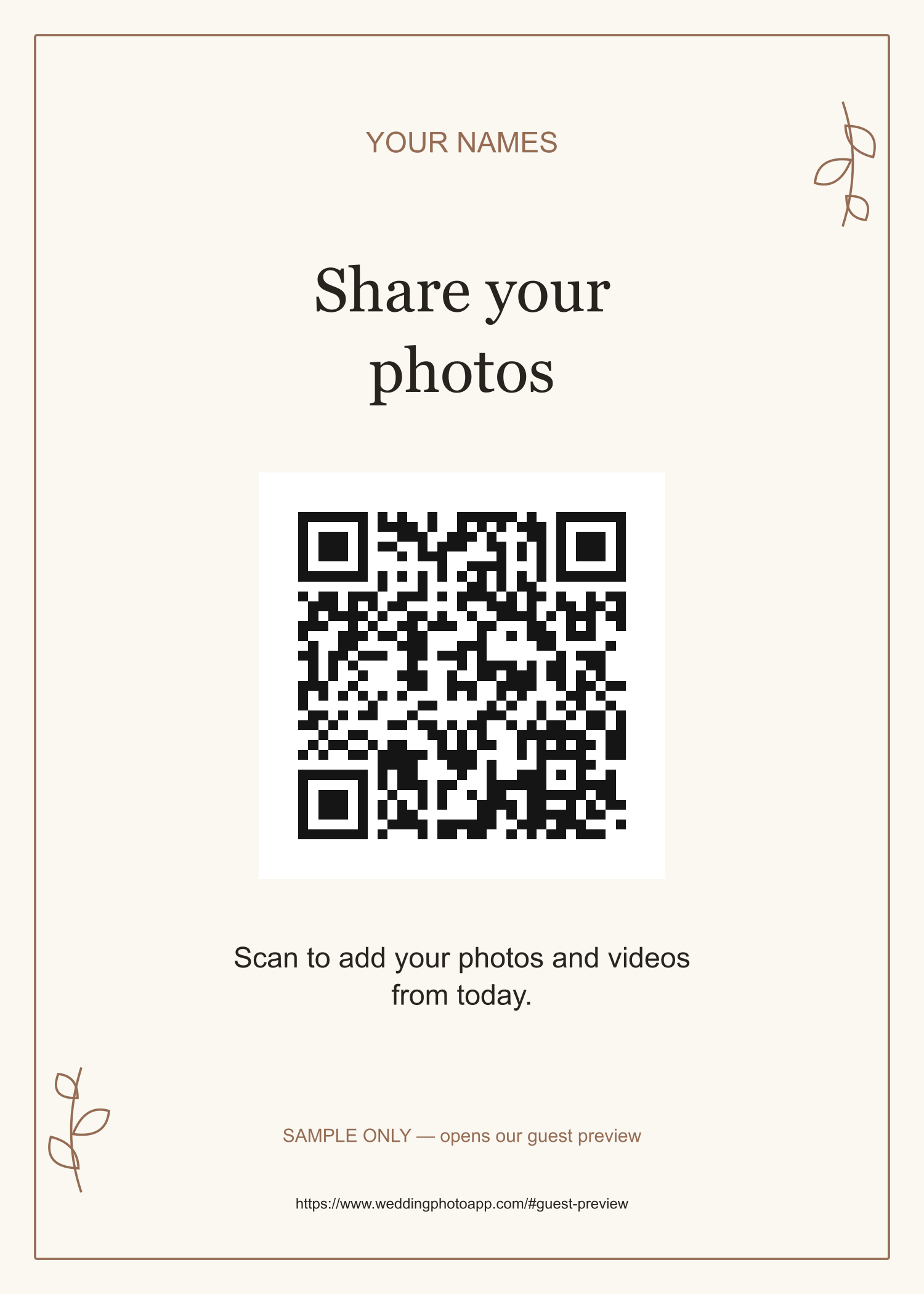
Start with a 5 × 7-inch table card printed at its intended size. Our generated QR square, including its white margin, occupies 44% of the sign width: 2.2 inches on a 5 × 7 sign and 3.52 inches on an 8 × 10 sign. These are template dimensions, not a guarantee of scanning distance. Keep the full square when placing it in another design; do not shrink it into a spare corner of a menu. For a welcome sign, guests must be able to walk close enough to scan.
Use dark modules on a plain light background. DENSO WAVE specifies an empty margin four modules wide on every side; a module is one small square in the code. Our generated designs include this quiet zone. Keep flowers, borders and lettering outside it. Code density, printer quality and scan conditions affect the size you need.
Download the PNG in 5 × 7, 8 × 10, A5 or A4, or use the print dialog to save a PDF. Match the paper size to the selected format and inspect the preview for cropping or automatic scaling. Place the proof flat or upright on a flat backing. Avoid folds, curved bottles and objects covering the code. If a glossy sleeve or frame reflects a lamp over the pattern, move it or try a matte surface and retest.
Approve the printed proof, not just the screen preview
- Print one copy on the final material at the final size.
- Scan it with an iPhone and an Android phone, signed out of the host account.
- Try the actual table or display distance, a slight angle and reception-like lighting.
- Open the correct event, upload a photo and a short video, and check both in the dashboard.
- Repeat on mobile data if guests may not have reliable venue Wi-Fi.
- Record the tested URL and date; repeat the test if the printer changes the layout.
This is a checklist for your own proof. We have not performed physical iPhone/Android print trials for these templates. Give a coordinator the clickable link and spare sign file so someone can help without interrupting the couple.
Put the code where guests have a moment to contribute
| Location | Why use it | Make it workable |
|---|---|---|
| Reception tables | Guests can choose pictures while seated between events | An upright table card visible around the centerpiece; keep glasses off it |
| Welcome display | Introduces the collection early | Add a second sign inside: arriving guests may not have photos yet |
| Bar or guestbook table | A pause in the evening gives people time to scan | Place beside the queue or writing space, without blocking either |
| Photo corner | Guests have just taken something they can send | Say whether they should upload phone pictures; this is not an automatic booth transfer |
| Menu or take-home card | Keeps the link within reach, including after the wedding | Give the QR its own clear space and include the upload deadline |
Choose a few useful positions instead of covering every surface. Keep prompts out of an unplugged ceremony. Ask the MC for one short reminder after guests have taken pictures: “If you have a moment, the card on your table lets you send your photos to the couple.” In a post-wedding message, send the clickable link; people reading on their phone should not need to scan an image on that same screen.
Sign wording you can use
Choose a tone in the sign maker's wording tab or edit the fields yourself. Keep the action explicit even when the headline is playful. Add “No app or guest account needed” only when that is true of your destination.
| Tone | Headline | Instruction |
|---|---|---|
| Simple | Share your photos | Scan to add your photos and videos from today. |
| Elegant | The day through your eyes | Please scan to share the moments you captured with us. |
| Playful | Caught a good one? | Your dance-floor clips belong here. Scan, choose and upload. |
| Direct | Upload wedding photos here | Scan the code, choose photos or videos, then wait for confirmation. |
Print the guest URL below the code as a fallback. If it is too long to read, use a shorter stable address you control and verify its redirect. Do not publish the host dashboard link.
Your gallery includes its guest link and QR code. Already have the link? Make your printable sign above.
What guests see after scanning
The phone camera reads the code and offers a link. Guests tap it to open your wedding page in their browser, check the event name, and open the upload form. WeddingPhoto App does not require a guest account or an installed app. They can choose multiple photos and videos; a note can accompany the contribution, and the host can make the uploader name required.
Selecting files is only the first step. After guests start the upload, files are sent one at a time and the page shows progress. At the end it reports successful and failed files. A partial failure leaves the failed selection available to try again while that tab stays open. Keep the page open until it finishes; do not assume uploads continue after closing the browser or that a thumbnail means a file has arrived.
All WeddingPhoto App plans accept photos and videos and retain the uploaded originals for download. A preview may display differently from the original file. Host settings can turn photo or video uploads off, and uploads close at the package deadline. Large clips take longer on slow connections. Test the types of files your guests will send, rather than treating “unlimited photos and videos” as a promise of instant transfer on every phone.
Who can see the uploads?
Gallery viewing starts private. The couple can enable viewing by event link, review uploads before display and control guest downloads separately. A person who can contribute does not automatically need to see everyone else's pictures. The event link can be forwarded, so treat it as access information and do not post the code publicly if you want contributions limited to your guests. More album access choices belong in the shared-album permissions guide.
If the scan or upload fails
| What happens | What to check | Next action |
|---|---|---|
| Camera does not recognize the code | Small print, cropped margin, glare, damage or low light | Uncover the square, move the phone back a little and change the angle or light. Try the printed URL; replace the sign if needed. |
| Link opens the wrong page or asks for a host login | The encoded destination, not the decoration | Copy the event's guest link, regenerate and test a new proof before replacing signs. |
| The correct page will not load | Connectivity, venue Wi-Fi sign-in and destination availability | Try mobile data or return later with the direct link. A readable QR does not provide internet access. |
| Page opens but contribution is closed | Host upload controls and the event's upload deadline | Ask the host to check settings. Reprinting the code will not reopen an expired collection. |
| Some files succeed and others fail | The final success/failure message and host gallery | Keep successful files in place and retry the failed selection. If the tab was closed, select only missing files again. |
With poor venue Wi-Fi, guests can keep their originals and return through the same link later, while uploads are still open. Give them the actual deadline. Do not ask people to resend the entire batch before checking which files arrived, or you may create duplicates. For the wider reminder schedule, follow the guest photo collection plan.
Keep collecting, then download your originals
Send one follow-up with the same guest link: “Thank you for celebrating with us. Please add your photos and clips at [link] by [date]. We would love to see the moments from your table.” In WeddingPhoto App, Intimate accepts uploads until 15 days after the event and stores media for two months; Celebration allows 45 days and six months; Forever allows 180 days and one year. These are separate upload and storage clocks, both measured from the event date.
- Review the received photos and videos in your event dashboard.
- Download the original-file ZIP before storage expires.
- Extract it and open a sample of photos and videos; check any reported failures.
- Keep a second backup outside the gallery service.
- Share reviewed favorites using the viewing and download permissions you intend.
The package named Forever does not provide permanent hosting. Save your archive even if the printed QR still opens. Full package details and event allowances are on the pricing page.
Wedding photo QR questions
Is a QR code for wedding pictures free?
The sign maker on this page is free and works with an existing upload URL. It does not include photo storage. A hosted WeddingPhoto App event starts at $39, including its guest link and QR code.
Can guests upload photos and videos without an app?
Yes. WeddingPhoto App opens in the phone's browser and accepts photos and videos without a guest account. The host must leave the relevant upload controls enabled, and guests need an internet connection to send files.
Does the wedding photo QR code expire?
The printed pattern has no timer, but the page it opens has an upload and storage deadline. WeddingPhoto App accepts uploads until 15, 45 or 180 days after the event, depending on the package. Reprinting the code does not extend those dates.
Can I put the code on wedding invitations?
Yes, once the final guest upload link exists. Label it for photos so guests do not mistake it for the RSVP. Keep the destination stable after printing and repeat the code at the reception, when people have pictures to share.
Can I change the sign without changing the QR code?
Yes. You can change names, wording, colors and layout while keeping the same destination URL. Scan the new printed proof before replacing your signs. Changing the encoded URL creates a different QR code.
Updated .