
Reviewed 2026-09-26
Eight ways to replace a wedding photo booth
Compare eight wedding photo booth alternatives by equipment, setup, guest effort and photo collection. Plan a QR gallery, scavenger hunt, instant prints or a live wall.
Short answer
Choose a photo booth alternative according to what you want guests to do: pose together, take home a print, explore the room or leave a personal message. A QR gallery supports any of these activities by collecting phone photos, but it does not supply a camera, lighting or instant prints.
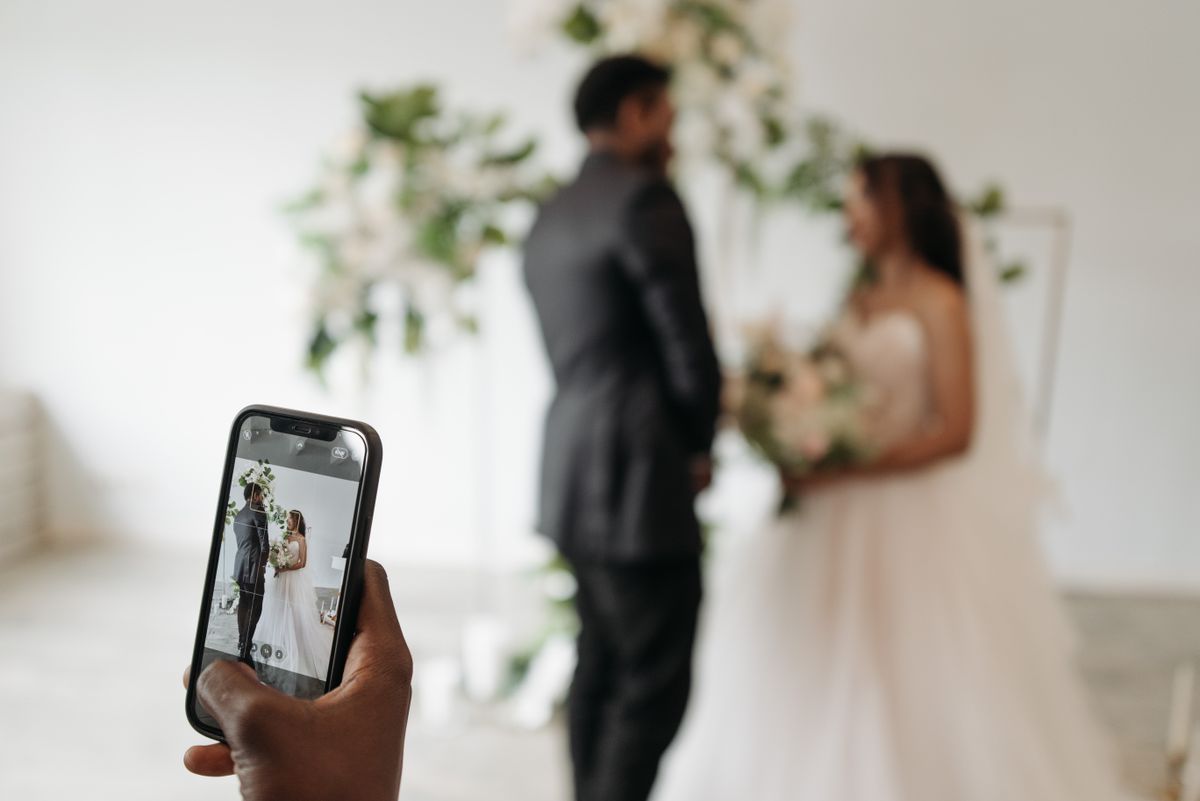
Compare the activity before spending on equipment
Setup ratings below are planning judgments, not timed tests or supplier quotes. “Collected” means the couple receives the result; a picture on a guest's phone has not reached your album until they send it.
| Alternative | Setup / equipment | Guest effort | Automatic collection? | Physical prints? | Relative cost drivers | Guest copy / best fit |
|---|---|---|---|---|---|---|
| Guest phone QR gallery | Low: tested link and printed signs | Choose files and upload | After the guest sends; never the whole camera roll | No | Lower if using guest phones; hosting and sign printing | Phone originals; candid coverage across the room |
| Photo scavenger hunt | Low: edited prompt cards and phones | Choose optional missions, then send photos | No; add a collection link | No; printable game cards only | Lower: free builder, optional cards and collection service | Phone originals; guests who enjoy a small activity |
| Instant camera station | Medium: camera, film, batteries, helper | Pose, take a print and reload when needed | No digital archive; assign print collection | Yes, one per exposure | Camera plus film for every attempt; grows with guest count | Physical print; immediate take-home keepsakes |
| Disposable-camera experience | Medium: film cameras and processing, or a camera app | Take allotted pictures and return cameras or use the app | Depends on the app; film needs processing | Film prints only if ordered; an app does not print | Film: cameras, development, scans and optional prints; app priced separately | Later copies; a deliberately limited camera activity |
| Polaroid-style guestbook | Medium: instant camera, film, book, tape and pens | Take a photo, attach it and write a note | Physical book only; scan it separately | Yes, usually kept in the book | Instant-camera costs plus album supplies; double film for guest copies | Only with a second exposure; a handwritten keepsake |
| DIY backdrop and guest phones | Medium: stable backdrop, light and space | Pose, take pictures and share them | No; add an upload sign | No | Lower with borrowed light/backdrop; rentals and decoration can raise it | Phone originals; informal group portraits |
| Roaming photographer | Book coverage and agree delivery | Minimal; respond to the photographer | Professional handles capture; delivery by contract | Only if included in the quote | Often higher: paid coverage time, editing and delivery | Agreed gallery or prints; guided portraits |
| Live photo wall | Higher: display, connection, service and reviewer | Upload files for the screen | Check storage and export in the chosen service | No | Gallery plus screen/projector, adapters and technical help; venue equipment may reduce cost | Depends on permissions; a shared reception display |
The cheapest setup is often the one that uses equipment you already have. Get a total that includes consumables and collection. These relative judgments assume guest-owned phones and exclude location-specific supplier quotes: a borrowed instant camera still needs film, and a beautifully lit corner still needs someone to tell guests where the photos should go.
Price a complete alternative, including the keepsake
For an illustrative instant-camera station, suppose 60 pairs each take one picture and you allow 20% extra film: 72 exposures. At an assumed 1.50 per exposure, film alone is 108 in your chosen currency. Giving each pair a print and keeping a second copy for the book doubles that allowance to 144 exposures, or 216. Add the camera, batteries and book if you do not already own them. These inputs are examples, not supplier quotes.
For a phone portrait corner, list the backdrop, lighting, stand, printing and collection service separately. A borrowed light can make the equipment cost small; an unattended setup may still need a helper throughout the evening. Compare a vendor's actual inclusions in our photo booth cost guide and quote calculator.
Choose by what would disappoint you if it were missing
- A print in every guest's hand: keep an instant camera or printing service in the plan.
- Consistent flattering portraits: prioritize lighting and someone who can guide a group.
- Candid views across the whole room: use optional phone prompts and a clear collection link.
- Voices and personal memories: make a quiet recording spot with one specific question.
- An activity with no phone required: use a physical guestbook or table camera and assign collection responsibility.
A guest phone gallery for pictures beyond one corner
A QR gallery lets friends send photos from wherever they are celebrating. It suits a room where a fixed booth would miss the action. It still needs a readable invitation, connectivity and a next-day reminder. Use the photo QR setup guideto test the path rather than assuming a sign guarantees participation.
1. A DIY portrait corner
Set aside an uncluttered background with reliable light and room for a small group. Test a phone picture from the position guests will stand. Place a simple invitation nearby and keep the area out of the service route. This suits couples who want posed pictures without an enclosed booth.
2. An instant-print station
An instant camera gives guests something physical to keep or attach to a guestbook. Budget for film, batteries and someone to explain the camera. Decide whether guests keep the print, leave it for the couple, or take two pictures. If you want a digital archive, plan how to copy the prints afterward.
3. Table cameras
Disposable or reusable cameras encourage a table to record its own evening. The main responsibility is collecting the cameras and processing the pictures. Follow the table-camera planning guide so the activity does not end with missing cameras.
4. A short photo prompt card
Ask for three specific pictures: the people at your table, a detail you loved and a candid moment with someone you met. Avoid tasks that interrupt the ceremony or require guests to photograph strangers without asking. Keep the game optional and give participants one place to send their pictures.
Make a tailored card in the photo scavenger hunt tool, or choose wedding bingo for an observation game. Keep photographer priorities in a separate shot list; guests should not feel responsible for covering moments you have hired a professional to capture.
A variation: record a video wish
A quiet seat and a clear prompt can produce personal messages for the couple. Test the sound before decorating the space. Decide whether guests record on their own phones or a managed device, then arrange the transfer and backup. Our digital guestbook guide includes prompts.
5. A roaming portrait photographer
If guided portraits and consistent image quality matter most, ask your photographer about dedicated reception coverage. Confirm the time, deliverables and cost directly. A guest activity can complement professional photography, but it should not be sold as the same service.
Make instant prints into a guestbook
Put a book, photo-safe adhesive and a working pen beside the instant camera. Ask guests to leave a picture and one sentence for the couple. Someone should watch film supplies and give prints time to develop. If guests also want a keepsake, allow for another exposure; a physical photo left in the book is not a digital copy you can email later.
A live wall for an audience that wants to watch
A screen can make guest pictures part of the reception. Arrange the display, power, connection and review responsibility with the venue, then run a complete rehearsal. Choose which submissions reach the screen before opening it to the room. WeddingPhoto App's live slideshow is included with Celebration and Forever; the screen and venue setup are separate.
Collect the results in one album
WeddingPhoto App, which publishes this guide, can collect the phone photos and videos produced around these activities. Its QR upload flow, review controls and original-file download bring the collection together. It does not turn a QR sign into a staffed booth or a print station.
Give the upload link a clear role: “Add the photos you took tonight.” Keep the card near the activity and share a clickable link afterward. The collection plan explains reminders and backup timing.
A photo prompt card you can use tonight
Three photos for our album: your table together, one little detail you loved, and a moment that made you smile. Ask before photographing someone, then add your favourites at [upload link]. We would love to see the day through your eyes.
Replace the placeholder with your tested guest link. Keep the tasks optional; your guests are there to celebrate, not finish a photography assignment. Use the free printable QR sign maker for the upload instruction and keep the same link on every card.
Set up one complete station before making six copies
- Take a group photo in the actual light and check faces at both ends of the frame.
- Ask someone unfamiliar with the setup to follow the card without coaching.
- Confirm that the photo reaches the album, or that a print reaches its intended guestbook.
- Assign a helper to replace film, keep the space clear and answer the occasional question.
If prints are the reason you wanted a booth, keep a print option in the plan. If the reason was simply getting more guests into pictures, a short prompt and a reliable upload link may be enough. Our photo-sharing comparison helps choose that collection step.
Make the ask easy
Give the activity one place to send its photos
Add your WeddingPhoto App upload link to the prompt cards or portrait corner. Intimate costs $39 USD once for one event with photo and video collection. Choose Celebration at $59 if you also want the reception slideshow. Printing, cameras and lighting are separate.
Learn more about WeddingPhoto App as a wedding photo sharing app for guests.
Frequently asked questions
What can I use instead of a photo booth at my wedding?
Consider a DIY portrait corner, instant-print station, table cameras, photo prompt cards, a video-wish corner or a roaming photographer. Choose the activity first, then decide how you will collect or keep its photos.
What is a low-cost wedding photo booth alternative?
Photo prompts using guests’ own phones avoid a dedicated camera or booth rental. A portrait corner can also use a backdrop and light you already have. Account for printing, any album service and a helper’s time before comparing the total.
Does a QR photo gallery replace a photo booth?
It replaces the collection step for phone photos and videos. It does not provide lighting, a camera, a booth attendant or physical prints. WeddingPhoto App’s Intimate plan costs $39 USD once for one hosted event.
Our product details: features and limits · current plans. Corrections: support@folded.cloud.
Updated .